
Learn how you can Live a Cable Free Life, save money, and still watch your favorite shows!
Embrace the Cable-Free Life: Your Ultimate Guide to Cutting the Cord and Saving Money
In an era of rising costs and ever-expanding entertainment options, the idea of living a cable-free life has become increasingly appealing. For years, I’ve navigated the world of television content without a traditional cable subscription, only relying on basic over-the-air channels like NBC, CBS, ABC, PBS, CW, and Fox. This approach has proven not only feasible but incredibly rewarding, demonstrating that you don’t need to spend a fortune to access quality entertainment.
My journey into cord-cutting truly began when my partner Matt and I realized we could enjoy all our favorite network television shows—such as the intense drama of The Walking Dead, the sharp wit of Suits, and the epic fantasy of Game of Thrones—without the burden of a hefty cable bill. We quickly discovered a myriad of innovative and cost-effective solutions that allowed us to maintain our status as “television junkies” without breaking the bank. This guide is a testament to those discoveries, aimed at encouraging others to embrace financial freedom and unparalleled flexibility in their viewing habits. By sharing our tested methods, we hope to empower you to experience the significant savings and vast content library available through modern streaming.
Many people assume that cutting the cord means sacrificing access to beloved programs or live events. However, the reality is quite the opposite. With a strategic combination of streaming devices and subscription services, you can curate a personalized entertainment package that often surpasses the offerings of traditional cable, all for a fraction of the price. The average cable bill can easily exceed $100 per month. By adopting the strategies outlined here, Matt and I typically spend less than $30.00 a month on our entertainment. That translates to an astounding annual savings of $840 – imagine what you could do with that extra cash!
Essential Streaming Devices for a Cable-Free Home
Transitioning away from cable often starts with the right hardware. These devices act as gateways to a world of streaming content, bringing your favorite apps and services directly to your television screen. They are generally user-friendly, affordable, and offer a wide range of features to enhance your viewing experience.
The Roku: Our discovery of Roku over six years ago was a game-changer, and it remains one of the best entertainment purchases we’ve ever made. Roku devices are instant streaming powerhouses, providing access to thousands of channels, including popular services like HuluPLUS, Netflix, HBO GO, Disney+, YouTube, and countless others. Its intuitive interface and vast app store make it incredibly easy to find and watch content. While dedicated Roku devices start around $42.99, many modern smart TVs now have Roku’s operating system built-in, offering the same streaming capabilities without an extra box. Alternatively, gaming consoles like Wii or PS3 also offer similar streaming functionalities, making them a versatile option for entertainment enthusiasts. Roku has also innovated with the Roku Stick, a compact device that plugs directly into your TV’s HDMI outlet, making it perfect for travel or discreet setups.
Cost: $40.00 – $100.00 (depending on model and features)
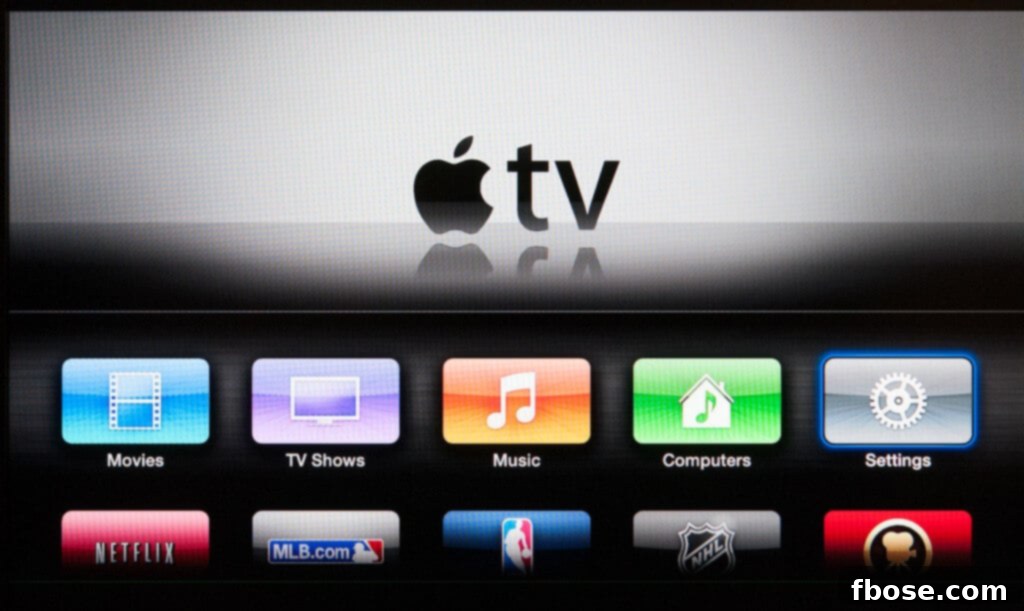
Apple TV: Apple TV offers a premium streaming experience, often lauded for its sleek design and seamless integration with the Apple ecosystem. Functionally, it’s quite similar to Roku, providing access to a wide array of streaming apps. A key differentiator for Apple enthusiasts is its compatibility with iTunes, allowing easy access to purchased movies and TV shows, though it doesn’t natively support the Amazon Instant Video app. My husband particularly appreciates the AirPlay function, which lets him effortlessly mirror content from his iPhone or iPad to the TV. While we primarily use Roku, Apple TV stands out for its robust performance and user experience, especially for those invested in Apple products. The choice often comes down to personal preference and existing tech infrastructure, as both devices deliver high-quality streaming.
Cost: $68.00
Google Chromecast: For those seeking a simple yet powerful streaming solution, Google Chromecast offers an excellent alternative to traditional cable and even other streaming boxes. This ingenious device allows you to “cast” content from your smartphone, tablet, or computer directly to your television. Unlike a direct HDMI connection, Chromecast enables your computer or mobile device to remain free for other tasks while your show or movie streams in the background. My husband received one for Christmas and frequently uses it to play PC games on the big screen or to follow along with YouTube fitness videos, like our challenging yoga sessions with Jillian Michaels. It’s an incredibly versatile and cost-effective way to transform any TV into a smart TV, making it easy to share digital content with everyone in the room.
Cost: $30.00
Amazon Fire TV and Stick: Amazon’s entry into the streaming device market, the Fire TV and Fire TV Stick, offers a compelling alternative to Roku and Chromecast. These devices are particularly strong for Amazon Prime members, seamlessly integrating Prime Video content and Amazon’s vast ecosystem of services. The Fire TV Stick, a compact HDMI dongle, boasts twice the memory and storage of a Chromecast, operating independently with its own remote and interface, much like a Roku. While we remain loyal to our Roku, the Fire TV line has garnered significant praise, especially for its unique features. The most notable difference is their compatibility with Amazon Echo devices and the inclusion of an Alexa voice remote, allowing users to control their TV with simple voice commands. This integration makes Fire TV products a superb choice for smart home enthusiasts and those who prefer a voice-controlled entertainment experience.
Cost: $39.00 for the Stick and $89.99 for the TV device.
Maximizing Your Entertainment with Top Streaming Services
Beyond the hardware, the true power of a cable-free life lies in the diverse and affordable streaming services available. Each offers a unique library of content, from current network shows and original series to classic films and live sports, allowing you to tailor your viewing experience precisely to your preferences.
HuluPLUS*: HuluPLUS holds a special place in my heart for its unparalleled access to current network television shows. It’s the service that truly makes living without cable feel effortless. Most major network programs are available to stream within 12 hours of their original air date, ensuring you stay up-to-date with your favorite series without missing a beat. Hulu’s robust partnerships with ABC, NBC, FOX, and many other stations provide a comprehensive selection of primetime content. Beyond network TV, Hulu also boasts a growing library of exclusive original series, such as the critically acclaimed Marvel’s Runaways, adding even more value. While many are familiar with Hulu, fewer realize the extensive offerings of Hulu.com, which includes shows from channels like Bravo, Food Network, HGTV, Freeform, and CBS that are often exclusive to online HuluPLUS users. For those craving live television, HuluLive, currently in beta, offers a comprehensive package of live channels, making it a powerful contender for a complete cable replacement. The convenience of a mobile app also allows me to catch up on shows during my lunch break, proving that great content is always at your fingertips.
Cost: Plans start at $7.99/month (first two weeks are free). HuluLIVE is $39.99/month.
Netflix: As someone who has seemingly watched almost every show imaginable, I appreciate Netflix for its distinct contribution to the streaming landscape. While it typically doesn’t offer current seasons of television shows, its strength lies in its expansive collection of older seasons, complete series, and a continuously growing library of critically acclaimed original content. Netflix is the quintessential platform for weekend binge-watching, whether you’re discovering a new series from scratch or revisiting an old favorite. We particularly cherish Netflix for its groundbreaking original series like the action-packed Daredevil, the visually stunning Chef’s Table, and the globally popular phenomenon, Stranger Things. Furthermore, it has become the beloved home for highly anticipated revivals of classic shows, including Fuller House and Gilmore Girls: A Year in the Life, delighting long-time fans and introducing new audiences to cherished stories. Its diverse library ensures there’s always something fresh to watch, making it a cornerstone of any cord-cutter’s entertainment arsenal.
Cost: $10.99/month for basic streaming. (The first month is free)
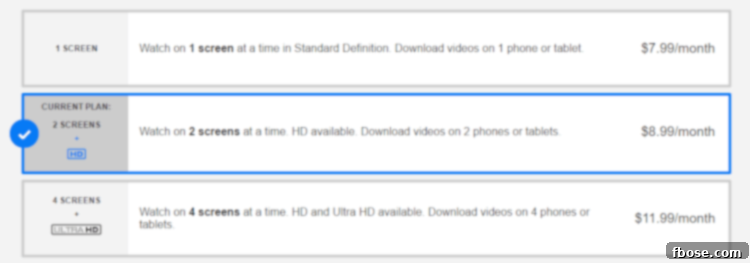
Amazon Prime: Amazon Prime offers far more than just expedited shipping; it’s a comprehensive entertainment hub that significantly enhances a cable-free lifestyle. This service is our go-to for catching up on shows like Falling Skies and Suits, whose seasons typically become available several months after their initial broadcast. For shows with a slightly smaller fan following, this waiting period is often negligible, as the risk of spoilers is minimal. A remarkable benefit for students is the free 6-month Amazon Prime Membership, which then renews at a significantly reduced rate of $49.00 a year, compared to the standard $99.00. All that’s needed is an email address ending in .edu or similar academic affiliation. Beyond the extensive library of free movies and TV shows included with Prime, members also gain access to the HBO Collection and a growing roster of critically acclaimed Amazon Exclusive series, such as the Golden Globe-winning Transparent and the immersive dystopia of The Man in the High Castle. The sheer breadth of content and additional perks make Amazon Prime an invaluable asset for any cord-cutter seeking both entertainment and everyday convenience.
Cost: $4.08 – $8.25/month (first month is free)
Amazon Instant Video: Amazon Instant Video provides unparalleled flexibility for watching current episodes, renting movies, and purchasing digital content. This service was once our preferred method for watching new episodes of shows like The Walking Dead (though we’ve since moved on from it). Episodes are typically available for purchase the morning after they air, with a simple one-click transaction of $1.99 adding them instantly to your Amazon Library. For dedicated fans, a Season Pass option is often available for around $20.00, depending on the show, offering a cost-effective way to own an entire season. Beyond TV, Amazon Instant Video excels as a movie rental platform. Unlike traditional rental services, Amazon provides a generous 30-day window to start watching a rented movie, and once activated, you typically have 24-48 hours to finish it. Rental prices are highly competitive, ranging from $0.99 to $4.99. A fantastic feature is the ability to purchase HD digital copies of newly released movies up to two weeks before their DVD release. This is particularly useful for Oscar nominees, allowing us to watch all contenders before the awards ceremony. Moreover, Amazon Instant Video has evolved to allow management of subscriptions for premium channels like Showtime, Starz, and HBO, for an additional fee, making it incredibly convenient to catch up on series like Outlander, all within a single interface.
Cost: Varies (per purchase/rental/subscription)
HBO Now: The launch of HBO Now in April 2015 was a monumental moment for cord-cutters, finally offering a standalone streaming service for HBO’s coveted content without requiring a cable subscription. This means no more “mooching” off relatives’ accounts – you can enjoy the full HBO experience directly! HBO Now also conveniently allows authorized users to share the account, making it easier for families to enjoy premium programming. However, it’s worth noting that HBO reserves the right to limit simultaneous streaming, so watch responsibly; binging Game of Thrones while your mom speed-watches True Detective across town might lead to buffering issues! The true value of HBO Now lies in its complete vault of HBO shows, mini-series, documentaries, and an extensive collection of movies, with expiration dates clearly listed. For us, subscribing seasonally for 2-3 months out of the year is often sufficient to catch up on our favorite series and new releases, proving to be a much more cost-effective approach than a year-round cable package with HBO.
Cost: $15.00/month (the first month is free)
Sling TV – For those who have been asking about live sports and traditional TV channels since this post was first published, Sling TV is a revolutionary answer. It stands out as one of the pioneers in live TV streaming, offering a robust selection of popular channels without the hefty price tag and commitment of cable contracts. While its monthly subscription cost is generally higher than on-demand services like Netflix or Hulu, it provides legitimate LIVE television, including channels like ESPN for sports enthusiasts, HGTV for home improvement fans, Syfy for sci-fi lovers, AMC for critically acclaimed dramas, and Food Network for culinary inspiration. Sling TV offers customizable packages, allowing you to choose channel bundles that best fit your viewing habits, making it an excellent bridge for those who want to cut the cord but still crave the immediacy of live broadcasts and specific cable channels. With a free trial, it’s easy to test if Sling TV meets your needs before committing.
Cost: $20 – $40 per month (the first week is free).
Practical Tips for Your Cord-Cutting Journey
Beyond dedicated streaming devices and services, a few simple tools and considerations can significantly enhance your cable-free viewing experience.
HDMI Cable: You might think that streaming often means hunching over a laptop, but that’s far from the truth. An HDMI cable is a simple yet indispensable tool for anyone starting their cable-free journey. By connecting your laptop directly to your television, you can instantly transform your computer screen into a large, immersive viewing experience. This is particularly useful for watching content from websites that might not have dedicated streaming apps or for personal video libraries. It’s a quick, easy, and incredibly affordable way to get your digital content onto the biggest screen in your house, bypassing the need for additional streaming devices if you already have a computer handy.
Cost: $5.00
Making the Switch: Real Savings and Endless Entertainment
As you can see, living a cable-free life is not only achievable but also incredibly liberating. It empowers you to customize your entertainment, paying only for the content you genuinely want to watch, rather than subsidizing hundreds of channels you never tune into. By leveraging the devices and services discussed above, Matt and I have consistently kept our monthly entertainment expenses around $28.00. This significant saving not only eases our budget but also provides peace of mind knowing we’re making smart financial choices without compromising on quality entertainment. This guide, while perhaps not as “delicious” or “pretty” as some of our other content, is packed with practical advice designed to help you reclaim hundreds of dollars annually from your entertainment budget. Start your cord-cutting journey today and put that money back in your pocket!
If you found this post helpful, be sure to explore our Beginner’s Guide to Audible and discover 10 Podcasts You Should Be Listening To for even more enriching content.
Frequently Asked Questions About Cord-Cutting:
Q: How can I watch sports without cable?
A: For live sports, Sling TV is your best bet, offering channels like ESPN. Many individual sports leagues also offer their own streaming passes (e.g., NBA League Pass, MLB.tv), though these can be seasonal and vary by sport.
Q: How can I watch the Hallmark Channel?
A: While I don’t personally watch it, the Hallmark Channel does have an app available on Roku, which is excellent for marathon viewing of older content. Furthermore, Hallmark released “Hallmark Channel Everywhere.” If you have a friend or relative with a cable subscription who is willing to share their login (perhaps in exchange for some delicious Rocky Road Cupcakes!), you can use their code to access live and on-demand content.
Q: Do you still have your local stations?
A: Absolutely! None of the streaming devices or services interfere with local broadcasting. We use a basic digital antenna for optimal reception, which allows us to receive CBS, ABC, NBC, CW, and FOX channels clearly and completely free. This ensures we stay connected to local news and major network events.
Q: How can I watch my Hunting shows?
A: Specialized niche content like hunting shows can sometimes be harder to find on mainstream streaming platforms. Your best first step would be to search for specific shows on Amazon Instant Video to see if they’re available for purchase. Another excellent resource is YouTube, where you can find an incredible variety of content, often including full episodes or clips of hunting programs. If you find content on your computer, a Google Chromecast stick can easily cast it directly to your TV screen!
Q: Do you need high-speed internet for streaming?
A: Yes, high-speed internet is undeniably crucial for a seamless streaming experience. We recommend a minimum download speed of at least 15 Mbps for reliable, high-definition streaming, especially if multiple devices will be streaming simultaneously. It’s important to factor in this cost, though for us, high-speed internet was a necessity long before we started using streaming devices, so it wasn’t an additional expense.
This post was last updated January 3, 2018.